
Tigo-Live Video Chat&More
Tigo Live TeamSocial
3.2210.00 Reviews
- Version
- 3.4.1
- Installs
- 10.00M
- Age Rating
- Mature 17+
Screenshots

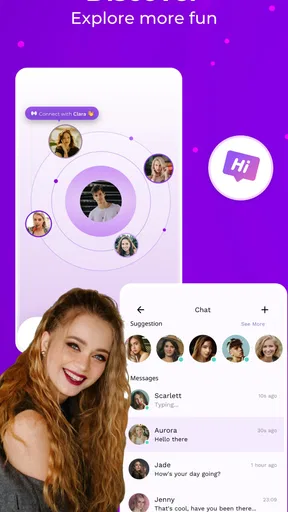
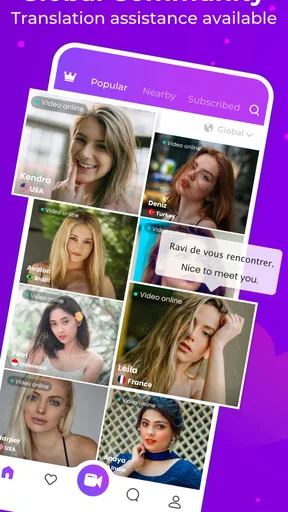
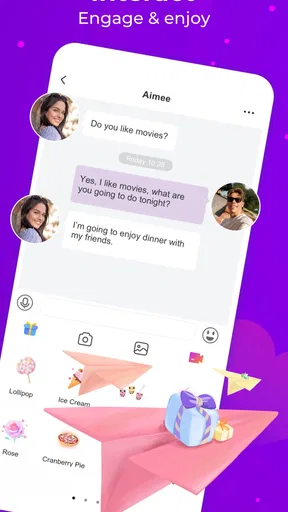


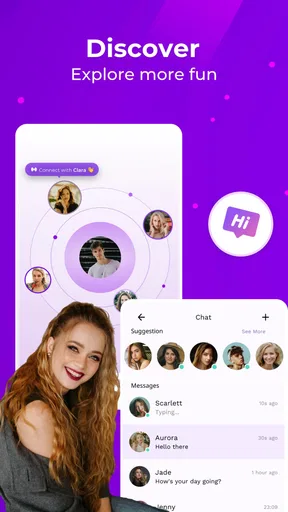
Our Review of Tigo-Live Video Chat&More
 Analysis by Appyee
I approached Tigo-Live Video Chat&More as a social app built around live conversation rather than a conventional feed. Its central promise is simple: open a space where people can chat by text or video and meet others in a community that presents itself as verified. That focus matters because it changes what I expect from the app. I am not looking for a polished photo timeline or a private messenger with a few social extras; I am looking for quick interaction, visible activity, and a reason to stay in a live conversation.
The app comes from Tigo Live Team and is free to install, although it includes optional purchases ranging from $0.99 to $199.99 per item. It is aimed at mature users aged 17 and over, and the current version is 3.4.1 for devices running Android 6.0 or later. With over 10 million installs and an average score of 3.2 from around 46 thousand ratings, it clearly attracts a large audience, but the rating also suggests that the experience will not suit everyone equally. My impression is that its value depends less on how many people are online and more on whether you enjoy spontaneous, low-commitment conversations.
Live video is the feature that defines the whole experience
The most important capability here is the move from ordinary messaging to live video chat. Text can be comfortable, but it also makes conversations feel interchangeable: a short message, a delayed reply, and another profile to browse. Video adds immediacy. Even a brief exchange feels more personal because you are responding to a real person in the moment rather than building a conversation through carefully edited messages.
That immediacy is useful when I want social contact without arranging a formal call in advance. Tigo-Live is better understood as an open door to short encounters than as a replacement for a messaging app used with close friends. I can imagine opening it during a quiet evening, browsing the available social activity, and deciding whether I want to join a conversation. The appeal is the low barrier: there is no need to compose a perfect introduction before making contact.
The “verified community” idea also affects how I judge the app. Verification can make a social space feel more intentional than a completely anonymous chat room, especially for someone who is tired of profiles that provide no useful context. Still, I would not treat a verification label as a guarantee of trust. I would keep personal details private, avoid sending money or sensitive material, and leave any interaction that becomes uncomfortable. Those are sensible habits for any live social platform, but they matter more when the main activity involves meeting unfamiliar people.
What I like about this emphasis is that it gives the app a clear identity. Many social applications try to combine feeds, stories, games, shopping and messaging until the main reason to open them becomes unclear. Here, the live conversation remains the obvious center. If you want an app that helps you watch or join real-time social interaction, that clarity is a strength.
What the live format changes in everyday use
Video makes the first few seconds more important. In text chat, an awkward opening can be softened by time and editing. In a live exchange, silence is immediately noticeable, and the other person can decide just as quickly whether to continue. I found that the best approach is to keep expectations modest: treat a session as a quick social moment, not as a guaranteed friendship or a carefully managed date.
This also means the app is more dependent on mood and timing than a traditional social network. A feed can provide something to browse whenever I have a spare minute. Live chat needs active participation. If I am tired, distracted or unwilling to speak, the main feature loses much of its appeal. The app works best when I am prepared to interact rather than simply consume content.
For that reason, I would not install it expecting a quiet, private communication tool. A service such as a familiar messenger is usually better for people I already know, while a video meeting platform is more appropriate for planned conversations with a group. Tigo-Live occupies the less formal space between those uses: meeting people, joining spontaneous exchanges and seeing whether a conversation develops.
How I would use it in practice
The first useful habit is to decide what kind of session I want before opening the app. If I only have a few minutes, I would treat it as casual browsing and avoid starting a conversation that I cannot give attention to. If I have more time, I would enter with one or two simple topics in mind. That small preparation helps because live chat can otherwise become a sequence of greetings with no direction.
A realistic scenario would be a user who has just finished work, does not want to commit to a long call, and wants some human interaction while having a coffee. Tigo-Live can fit that moment better than a group chat that requires catching up on dozens of messages. The user can look for an active conversation, participate briefly, and leave without turning the interaction into an appointment. The trade-off is that the quality of the experience depends on who is available at that moment.
I would also keep the first session deliberately short. That makes it easier to judge the tone of the community without feeling invested. Pay attention to whether conversations remain respectful, whether you can exit comfortably, and whether the app’s social rhythm matches your personality. Someone who enjoys quick introductions may find the format energizing. Someone who needs time to build trust may find the same speed tiring.
Another practical point is to manage spending before it becomes part of the routine. The app is free to start, but optional purchases can reach a substantial amount for an individual item. I would not buy anything during an emotionally exciting conversation. Instead, I would use the free experience first, decide whether the app genuinely adds value to my week, and only then consider whether a purchase is worthwhile. This is especially important for younger members of a household, even though the app carries a mature age classification.
I would use a stable connection and headphones when possible, not because the app promises a particular technical setup, but because live video is more demanding than text. Background noise, interruptions and poor attention can make a short conversation feel worse than it needs to. A quiet place also gives me more control over what other people can see around me.
Small choices that improve the experience
One non-obvious advantage of live conversation is that it can reveal compatibility faster than profile browsing. A profile may suggest shared interests, but a brief exchange shows communication style, patience and boundaries. I would use that as a filter rather than trying to speak with everyone. A shorter list of better conversations is more valuable than collecting a large number of weak contacts.
I would also avoid treating every interaction as a performance. The temptation in video-based social apps is to worry about appearance, background and the perfect response. That can make the experience feel artificial. A simple introduction and a clear reason for joining the conversation are usually enough. If the other person responds well, the discussion can grow naturally; if not, leaving is a useful result rather than a failure.
My third practical tip is to separate curiosity from trust. The live format can create a feeling of familiarity very quickly, but a friendly conversation is not the same as knowing someone. I would never share an address, financial information, private documents or intimate material simply because an exchange feels comfortable. The community’s verification positioning may encourage confidence, but sensible boundaries still belong to the user.
Finally, I would pay attention to how often I open the app without a clear purpose. Live social platforms can be easy to revisit because every session might produce a new interaction. That unpredictability is part of the fun, but it can also turn into aimless scrolling or repeated checking. Setting a personal time limit is a practical way to keep the app social rather than letting it become a background habit.
The strongest scenario is casual connection, not organized communication
Tigo-Live makes the most sense for people who want to meet unfamiliar users through immediate conversation. It is particularly suitable for someone who feels that text-only communities are too slow or impersonal. The video element gives the interaction a stronger sense of presence, while the social structure keeps the commitment lighter than joining a scheduled video group.
I can also see value for users who are practicing conversational confidence. A live exchange provides a chance to introduce yourself, ask a question and respond without writing and rewriting every sentence. That does not make the experience risk-free, and it will not suit someone who dislikes speaking with strangers, but it can be a useful low-stakes way to become more comfortable with spontaneous conversation.
The app is less convincing for maintaining established relationships. If my goal is to send a quick message to a friend, share a photo with family or arrange a private call, a familiar messenger will usually be faster and more predictable. If I need a structured meeting with clear participants and an agenda, a dedicated video-conferencing service is the better choice. Tigo-Live’s strength comes from discovery and immediacy, not organization.
It is also not the right fit for people who want complete control over who appears in their social space. The attraction of meeting new people necessarily brings uncertainty. Even with a community presented as verified, the user still has to judge conversations individually. Anyone who finds that uncertainty stressful may prefer a platform where contacts are selected in advance.
Where the app feels different from ordinary alternatives
Compared with a standard social network, Tigo-Live puts less emphasis on building a public identity over time and more on what happens in the current interaction. That can feel refreshing because I do not need to maintain a carefully edited profile to get immediate social value. The downside is that a live-first experience can feel shallow if I am looking for long-form discussion, searchable knowledge or a lasting record of conversations.
Compared with a private chat app, it offers discovery instead of familiarity. A private messenger is strongest when both people already know one another. Here, the point is the possibility of meeting someone new. That makes the app more interesting when I want variety, but less dependable when I need a specific person to be available.
Compared with random anonymous video-chat services, the verified-community positioning gives Tigo-Live a more defined social identity. I would still apply caution, but the concept feels less like pure roulette and more like entering a community with some expectation of social interaction. Whether that distinction is meaningful in practice depends on the people active during the times I use it, so I would judge it through repeated, sensible use rather than one unusually good or bad session.
The trade-offs: spontaneity, privacy and spending
The main limitation is that live chat can be inconsistent. A large audience does not automatically mean that every session will produce a worthwhile conversation. I may find an engaging exchange one day and very little that interests me the next. That variability is normal for a live social app, but it can be disappointing if I expect a reliable result every time I open it.
Privacy requires active attention. Video can reveal more than I intend, including my surroundings, routines or other people nearby. I would check the camera view before joining, avoid showing identifying documents or locations, and use a neutral background when possible. I would also remember that I cannot fully control what another participant remembers or records. The safest approach is to share only what I would be comfortable making public.
The mature age rating is another important signal. I would not present this as a children’s social app, and parents should not assume that a general social label makes it suitable for younger users. The mature classification means adults should think carefully about the conversations they may encounter and about the boundaries they expect to maintain.
In-app purchases create a separate trade-off. Free access lowers the barrier to trying the service, but optional items can become expensive at the upper end. I would keep purchases disabled unless I had a specific reason to use them and a clear personal budget. The app becomes easier to recommend when treated as a free trial of a social format, not as a service where spending is necessary to prove its value.
The average rating of 3.2 is worth reading as a warning about fit rather than as a final verdict. Around 46 thousand ratings show that many people have tried it, while the score suggests a mixed experience. I would interpret that combination as a reason to test the app personally, keep expectations realistic and avoid assuming that a large user base guarantees a smooth experience.
When I would choose something else
I would choose another app if my priority were private conversation with people I already trust. I would also look elsewhere if I wanted detailed moderation controls, a dependable archive of messages, or a formal way to schedule calls. Those needs do not align with the spontaneous nature that makes Tigo-Live interesting.
I would skip it if I dislike being visible on camera, feel uncomfortable with quick social judgments, or tend to make impulsive purchases during engaging conversations. The app’s core capability is not a minor add-on that can be ignored; live interaction is the reason to use it. If that format feels stressful, the rest of the experience is unlikely to compensate.
On the other hand, I would give it a fair try if I wanted brief social contact without the pressure of joining a permanent group. The free entry point makes that experiment relatively straightforward, provided I protect my privacy and keep spending under control. The important question is not whether the app can produce one entertaining conversation, but whether its live rhythm fits my normal habits.
Who gets the most from Tigo-Live
The best audience is an adult user who enjoys spontaneous video conversation, accepts that quality will vary, and wants to meet people beyond an existing contact list. That person will probably appreciate the app’s direct focus more than someone searching for a feature-heavy social network. The live format rewards curiosity, quick responses and a willingness to leave conversations that do not feel right.
It can also suit users who want to practice being more conversational in an informal setting. I would approach that use with a simple goal, such as starting one respectful exchange, rather than measuring success by how many contacts I make. That keeps the experience manageable and makes it easier to notice whether the community feels comfortable.
The app has a sizeable footprint, with more than 10 million installs, and it has been available since January 29, 2021. Those details suggest that it is not an experimental newcomer, but longevity and reach do not remove the need for personal judgment. I would still evaluate the current community during the hours I am likely to use it, because a social app is defined by its active participants as much as by its interface.
My final view is cautiously positive. Tigo-Live has a clear reason to exist: it makes live video the center of social discovery and gives casual conversation more presence than ordinary text. I like that it can fit a short, unplanned break and that it does not require every interaction to become a long-term relationship. At the same time, the format brings uneven sessions, privacy responsibilities and a need to watch optional spending carefully.
If you want a private messenger, a structured meeting tool or a carefully controlled social circle, I would recommend a different category of app. If you want to test spontaneous video interaction with a mature community and are comfortable setting firm boundaries, this free social app is worth trying. Its real strength is not the promise of endless activity, but the chance to turn a few spare minutes into a genuine live exchange.
Verdict
Strengths of Tigo-Live Video Chat&More
- Simple interface makes it easy to start video chats quickly.
- Supports private conversations for more personal interactions.
- Chat discovery can help users meet people beyond their contacts.
- Useful for casual entertainment and passing time.
- Available on mobile devices for convenient access on the go.
Limitations of Tigo-Live Video Chat&More
- Some features may require in-app purchases or paid credits.
- Video quality can depend heavily on your internet connection.
- Public interactions may include unwanted messages or behavior.
- The app may consume noticeable battery during extended video calls.
- Privacy settings should be reviewed carefully before using live features.
Similar Picks in This Category
View All
Meta Platforms, Inc.4.6

Instagram4.0

Likee-Live, Chat & Party Games
Likeme Pte. Ltd.4.4

Facebook Lite
Meta Platforms, Inc.4.5

TikTok - Videos, Shop & LIVE
TikTok Pte. Ltd.4.0

Moj: Free Short Drama & Reels
ShareChat4.1
Frequently Asked Questions
What is Tigo-Live Video Chat&More, and what can I do with it?
Tigo-Live Video Chat&More is a social communication app focused on live video interaction, one-to-one conversations, and meeting new people online. Depending on the features available in your region, you may be able to browse profiles, start video chats, send messages, join live sessions, and use virtual gifts or other interactive tools. The exact experience can vary by country, account type, and app version.
Is Tigo-Live Video Chat&More free to download and use?
The app can generally be downloaded without an upfront charge, but some features may require in-app purchases, credits, subscriptions, or virtual currency. Video calls, gifts, premium interactions, and profile-related services may not all be free. Before spending money, review the pricing shown inside the app and check whether purchases renew automatically through Google Play or the App Store.
Is Tigo-Live Video Chat&More safe for chatting with strangers?
As with any social video-chat platform, you should use caution when communicating with people you do not know. Avoid sharing your address, phone number, passwords, financial details, or private photographs. Use the app’s blocking and reporting tools if someone behaves suspiciously or offensively. It is also wise to review privacy permissions and remember that other users may record or capture interactions.
Does Tigo-Live Video Chat&More require an account, camera, and microphone access?
Most of the app’s main communication features require an account or profile, while video conversations normally need access to your device’s camera and microphone. You can usually deny permissions, but doing so may prevent video or voice functions from working correctly. Grant only the permissions you are comfortable with, and check your Android or iOS privacy settings if you later want to revoke access.
Is Tigo-Live Video Chat&More suitable for children and teenagers?
This type of application is primarily intended for adults or users who meet the minimum age stated in its store listing and terms of service. Live conversations with strangers can expose younger users to inappropriate content, manipulation, scams, or unwanted contact. Parents should check the app’s age rating, privacy policy, and parental-control options, and should not allow children to use it without appropriate supervision.
